Roles and Permissions Report
The Roles and Permissions report allows users to track the following details for the system-defined and custom roles:
-
Permissions assigned to a role
-
Date and time when a role is created
-
Date and time when a role is updated
Perform the following steps to generate the report:
Navigate to Reports ➜ Dynamic Reports ➜ Manager ➜ Roles and Permissions.
Refer to the following table and fill in the fields.
|
Field |
Description |
|---|---|
|
Created Date From |
The date when the roles are created. The default date is displayed as the current property date - 365 days. Users can select any dates in the past. Future dates cannot be selected. |
|
Roles |
This is a multi-select drop-down list that displays the roles created for a property at the tenant-level. By default, no role is selected. Users can select a maximum of 100 roles. |
|
Exclude Platform Roles |
|
Click Run to generate the report.
Click Save to save the report under User Favorites section.
Sample Report
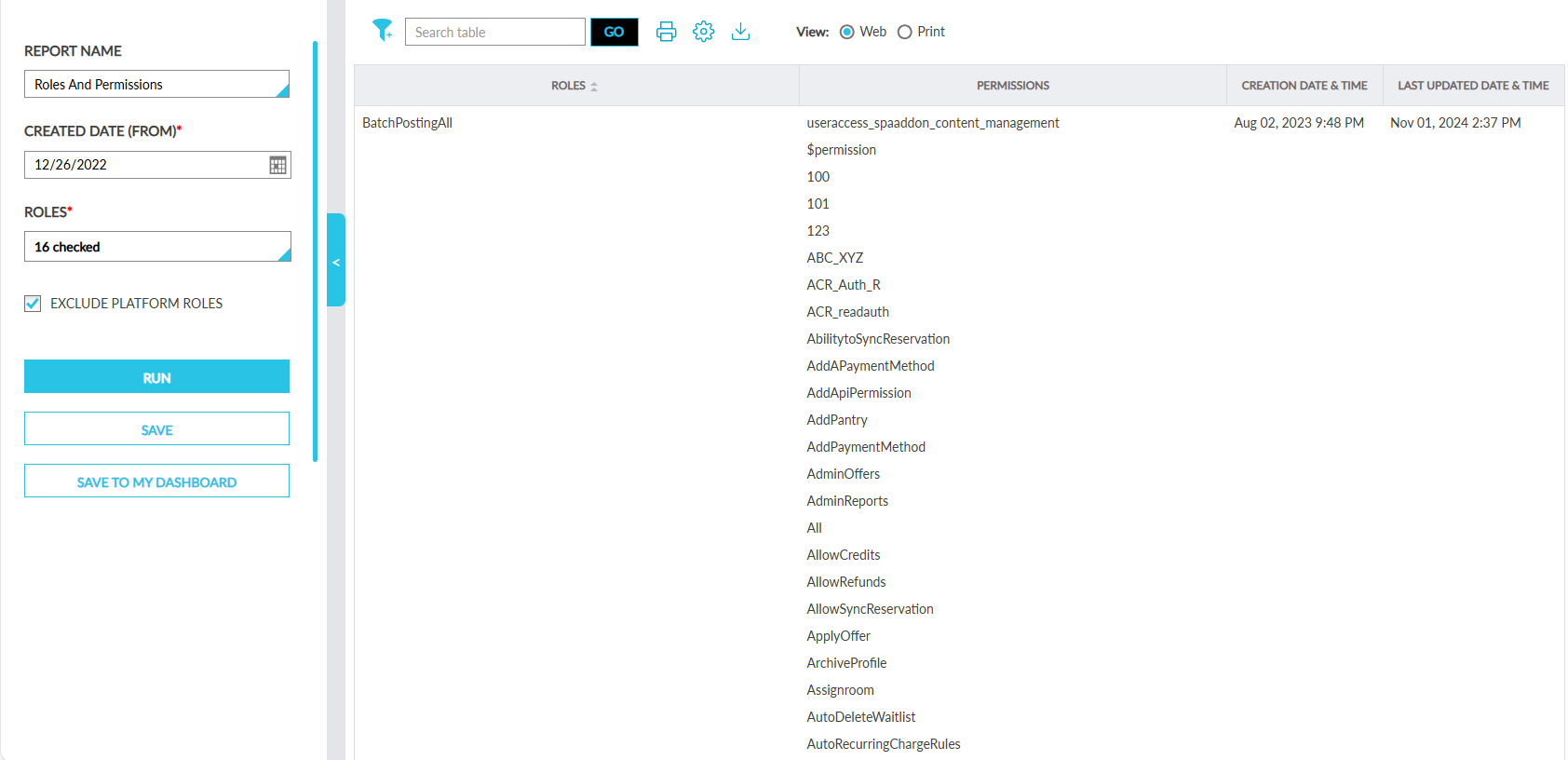
Report Fields
This report displays the following fields:
|
Field |
Description |
|---|---|
|
Roles |
The roles associated with the selected property. Users can search and filter records based on roles. This column can be sorted. |
|
Permissions |
The permissions assigned to the roles. |
|
Creation Date & Time |
The date and time when the roles were created. Users can search records based on the account creation date and time. |
|
Last Updated Date & Time |
The date and time when the roles/permissions were last updated. |